Windows Phone Thoughts - Daily News, Views, Rants and Raves

Be sure to register in our forums! Share your opinions, help others, and enter our contests.


Zune Thoughts

Loading feed...

Digital Home Thoughts

Loading feed...

Apple Thoughts

Loading feed...


All posts tagged "keyboard"


Friday, November 27, 2009

New Native Keyboard Comes to WinMo 6.5.3

Posted by Pete Paxton in "Windows Phone News" @ 10:00 AM

http://pocketnow.com/software-1/new...es-to-winmo-653

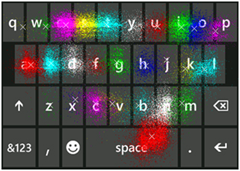
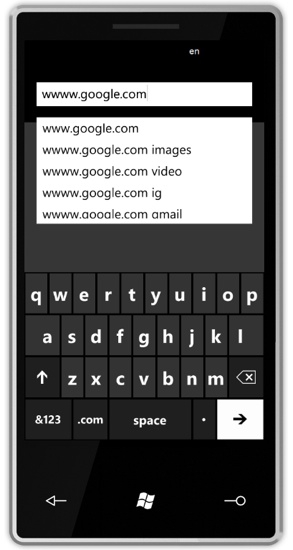
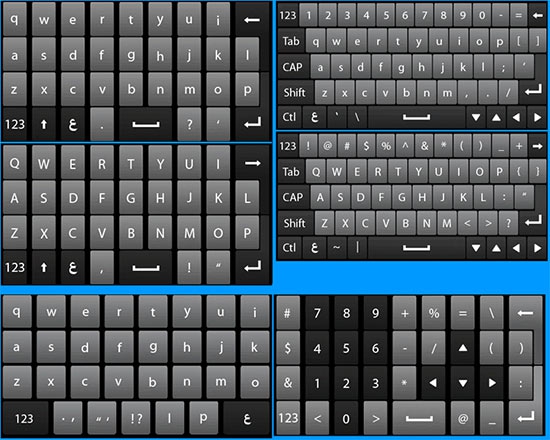
"Over at XDA, they've gotten their hands on Windows Mobile 6.5 build 28002, which they're calling 6.5.3. One of the more significant changes in the new build is the addition of a more refined on-screen keyboard. The default on-screen keyboard of Windows Mobile versions of the past wasn't particularly well suited towards finger-friendly operation. Thankfully, HTC and other OEM have been there to provide better solutions, although it seems that going forward, there will be this better native keyboard options."

Well looky here! The fine folks over at PocketNow have provided a screenshot of a new keyboard design for 6.5.3. I like it. It's about time Windows Mobile came out with a cool usable touch screen keyboard. I hope it's as good in person as it seems hear. I know there are other options but it just seems a comfortable user friendly keyboard should just be part of the OS. What do you think? Does the design appear to be heading in the right direction?


Monday, May 25, 2009

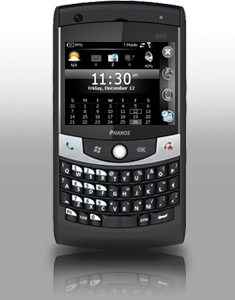
Further Traveling with Pharos -- the Traveler 127 reviewed

Posted by Don Tolson in "Pocket PC Hardware" @ 09:00 AM

Product Category: 3.5G GPS PDA Phone
Manufacturer: Pharos USA
Where to Buy: Expansys [affiliate]
Price: $479.99 USD
System Requirements: Runs Windows Mobile 6.1 Professional
Specifications: Qualcom 400Mhz processor, 256mb Flash ROM, 128mb SDRAM, 2.5 inch QVGA display, QWERTY keyboard, Triband (850/1900/2100) UTMS/HSDPA/HSUPA, Quad Band (850/90/1800/1900) GSM/GPRS/EDGE. GPS (with AGPS compatibility), 802.11b/g, BT2.0+EDR, USB 2.0, Cameras - 0.3mp (front), 2.0mp (rear)+fixed focus, battery is 1410 mAh Li-Ion with is rechargeable/replaceable. Dimensions: 116mm (4.57in) x 62mm (2.44in) x 15mm (0.60in). Weight is 145g (5.11 oz) with battery. Full specifications are available here.
Pros:
  • Trackball has a good, responsive feel to it, but software is still not fully integrated into its existence;
  • GPS is very responsive and works well with the Smart Navigator software;
  • Standard 2.5mm headphone jack, which also doubles as TVOut;
  • Good all around package for traveling business people.
Cons:
  • Lock/power button doesn't always turn on the screen;
  • Small stylus;
  • WiFi has difficulty with secured networks;
  • 2 megapixel, fixed-focus camera is not up to current expectations.

Summary:

Following along from our review of the 117 last month, we now present Pharos' latest addition to the Traveler series -- the 127. Similar to the 117, but designed for those who prefer the front-facing embedded keyboard format, the Traveler 127 is a full 3.5G capable travelling companion for the mobile business executive. It's not an easy market to make your mark in, as it's crowded and competitive. How does the 127 fare against the HPs, HTCs and Blackberries? Let's take a look...

Read more...


Thursday, February 26, 2009

Microsoft: "Understanding Phone Design Decisions"

Posted by Darius Wey in "Pocket PC Articles" @ 08:45 PM

http://www.microsoft.com/windowsmob...one-design.mspx

"In January, I had an opportunity to hear a presentation by Eric Lin, the Online Community Manager at HTC. Many of the Windows Mobile smartphones on the market today are made by HTC, even if they don't have the HTC name on them, so when it comes to smartphones, HTC is a market leader. The presentation covered several different topics, but the one I found most interesting was the question of how specific hardware design decisions impact the usability of the phone. When you pick up a Windows Mobile smartphone, the shape, size, weight, and feel of it give you an impression about the product - but did you know what kinds of decisions went into the final product you're holding? The answer may surprise you."

Read Jason's column on tethering? Well, here's another one. It discusses the design decisions that go into the phones you're carrying today - from the size of the screen to the feel of the keyboard and the sound it makes. Who knows? You may learn a thing or two that will help you choose the right phone the next time you're in the market for one.


Wednesday, January 21, 2009

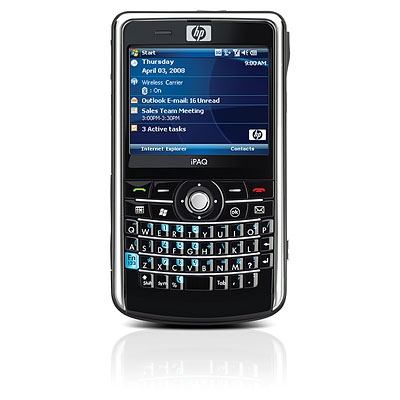
All Business, With a Little Bit of Fun...the HP910c Business Manager

Posted by Don Tolson in "Pocket PC Hardware" @ 09:00 AM

Product Category: 3G touch PDA Phone with embedded keyboard
Manufacturer: HP
Where to Buy: Expansys [affiliate]
Price: $484 USD
System Requirements: Runs Windows Mobile 6.1
Specifications: Marvell PXA270 Processor running at 416 Mhz, 128 MB of RAM and 256 MB of ROM. Quad-band GSM/GPRS and tri-band UMTS/HSDPA, able to get 3G/H anywhere it's available. 3.0 megapixel camera, USB 2.0, BT 2.0 with EDR. 1940 mAh battery, 802.11b/g. Weight is 154g (5.4oz) with battery.

Pros:

  • Solidly built, very reliable, lightweight and easily pocketable;
  • Keyboard feel/design works well to prevent keying errors -- very solid tactile response;
  • GPS sensitivity and stability is excellent;
  • Battery life is very good.

Cons:

  • Accessories package is a bit light -- should have included a cover/case and a second stylus;
  • The position of the USB sync port and its rubber cover are a pain to work around.

Summary: I've owned numerous HP iPAQs over the years -- from the venerable 1950 through the Jornada series to the Messengers. While HP is not always the first with the latest and greatest features on their PDAs, I've always been impressed by the quality and reliability of their products. The hardware is very durable and stands up to the rigors of daily office and personal use, and the software provided clearly has the corporate user in mind. The HP iPAQ 910c Business Manager is no exception. This is a solidly built unit that will serve the business/corporate user very well. It doesn't come with a sexy, gesture-based interface, but it does everything it claims to do well, and consistently. Read more...


Wednesday, January 14, 2009

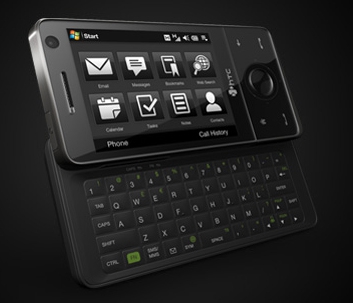
The Professional Touch...a Review of HTC's Touch Pro (aka AT&T Fuze)

Posted by Don Tolson in "Pocket PC Hardware" @ 09:00 AM

Product Category: PDA Phone w/keyboard
Manufacturer: HTC
Where to Buy: Expansys [Affiliate]
Price: $649.99 USD
System Requirements: Windows Mobile 6.1, with HTC's TouchFlo 3D interface
Specifications: Qualcomm MSM7201A CPU at 528 MHz, Windows Mobile 6.1 Professional. 512 MB of storage ROM and 288 MB of system RAM. It is 102mm tall, 51mm wide, and 18.05mm thick and weighs 165 grams with its 1340 mAh battery. It has a 2.8 inch VGA screen, GPS, Bluetooth 2.0, 802.11 b/g, and a slide-out QWERTY keyboard. Quad-band GSM phone (850/900/1800/1900 MHz), 3G capable for HSPD/WCDMA for up to 2 mbps upstream and 7.2 mbps downstream. The main camera is a 3.2 megapixel camera with auto-focus and flash, with a secondary front-facing VGA camera for video calling (may not be available on NA models). It also has a microSDHC card slot.

Pros:

  • Screen is amazing -- clear, bright, beautiful;
  • HTC's TouchFlo 3D interface very well thought out and executed;
  • Good package of accessories and added software.

Cons:

  • Battery life isn't stellar -- not bad for a VGA though;
  • Version reviewed is from Europe, so it wouldn't work on North American 3G networks (be careful what you buy!);
  • Front screen is a magnet for fingerprints and streaks, but easily cleaned.

Summary: Truth in reviewing -- I lusted after this phone when I first starting hearing about it as the successor to the Kaiser/Tilt. Then, when I starting seeing some of the technical reviews and comments in XDA-Developer forums, my desire just got worse. I practically fell off my chair when Jason said he had one 'hanging around the office' and would I like to review it? "Uh, sure", I said nonchalantly, but I couldn't wait for it to arrive and to put it through its paces as my primary work phone/PDA for a week. So, did it live up to my expectations? Find out after the break.... Read more...


Wednesday, November 12, 2008

Treat Your Fingers to Spb Keyboard 4.0

Posted by Darius Wey in "Pocket PC Software" @ 12:30 PM

http://www.spbsoftwarehouse.com/products/keyboard

"Spb Software, world's leading Windows Mobile software developer releases Spb Keyboard 4.0 - an award-winning on-screen keyboard, which works great with the stylus, but is optimized for typing text with one's bare hands. Created back in 2002, Spb Full Screen Keyboard pioneered in the finger-friendly approach to interfacing with a mobile device, and in its six years of market presence, proved to be a bestseller with the end-users, and a hit with the device manufacturers (recently seen as a customization enhancement in Toshiba's Portégé G810). Committed to usability and clarity in device navigation, Spb conducted research and gathered feedback from customers, identifying a demand for more flexible mobile text input methods. The new version of Spb's keyboard now offers three modes of on-screen text input, and has received a new name to portray the change - Spb Keyboard 4.0. The new keyboard benefits from an Spb Mobile Shell-like skin engine, and is optimized for working with both stylus and fingers. Among other things, the new Spb Keyboard offers dozens of languages with the default skin, is more compact in memory consumption, supports smart gestures and 'sliding pop-ups', which help to make sure the right key is tapped."
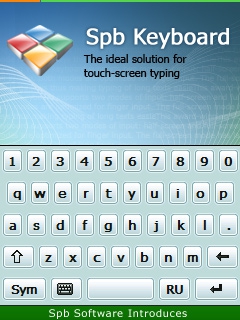
Sick of the default on-screen keyboard? Spb Keyboard 4.0 offers three text input modes, a new finger-friendly UI, a new skin engine, support for 35 languages, sliding pop-ups, smart gestures, and auto-complete. If all that has you perked, head over to our affiliate software store to download a free trial version, or purchase the full version for $14.95. An upgrade from 3.0 costs just $4.95.


Tags: keyboard, spb, 4.0

Thursday, May 15, 2008

Vertical Keyboard, Anyone?

Posted by Nurhisham Hussein in "Pocket PC Software" @ 03:00 AM

http://www.empowermobility.com/


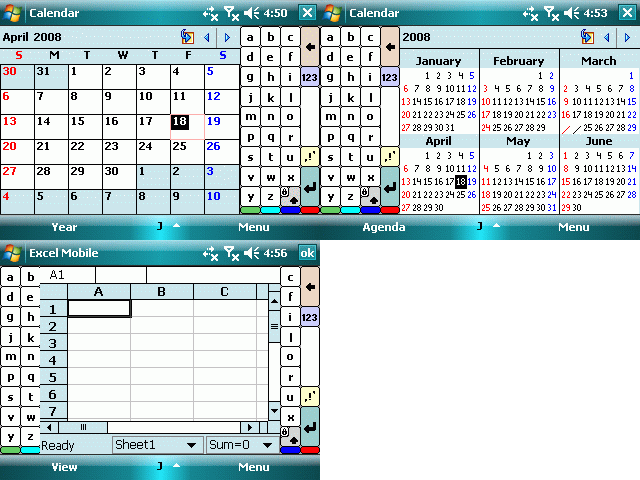
One of the things that bugs me about software input panels is that when you're using a device in landscape mode, the panel shoves everything else off the screen to the point where you can't see what you're doing. Even in portrait mode, the popup panel can be a little annoying, and I can just imagine the angst with square screens. Tom Jaros at Empower Mobility thinks he has a potential answer to this problem - make a vertical keyboard (see pic above). The mockup displayed has the SIP coming out of the left or right, or alternatively split in two. As the owner of a fairly large device (ok, it's a brick), this idea is pretty attractive and I'd love to see something like this developed. But before that can happen, Tom wants some feedback from the community about what you'd like to see, and whether you'd use an app like this - bear in mind that the picture displayed is a mockup, and will definitely be refined. Thumb/finger friendly keys is one area of improvement, and layouts that would help increase data entry is another. If anybody has any thoughts on this you can drop in on the Empower Mobility website and take the survey, or just post your comments right here. So, what do you guys think?


Thursday, April 24, 2008

Skin to Win an HTC Touch

Posted by Darius Wey in "Pocket PC Events" @ 04:30 PM

http://www.resco.net/competition/

"Resco (www.resco.net), the leading developer of end-user mobile applications, announced today the start of its “Best Skin Contest” for their popular software input panel application — Resco Keyboard Pro. Starting today for the period of one month, users will be able to add their own skins and thus participate in the contest. Everyone who submits their own, original skin automatically gets a free license of Resco Keyboard PRO. People will be able to download, try out and since May 23, 2008 vote for the skin they like the most. The winners will be announced in mid June."


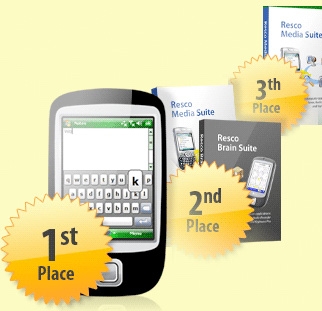
Okay, skinning community: here's your chance to win big. Resco is running a Resco Keyboard Pro skinning contest, and sitting at the top of the prize pool is an HTC Touch, which would be perfect for showing off that winning skin. Think you have what it takes? Then get those entries in by May 23. Good luck!


Saturday, March 22, 2008

VITO Releases ZoomBoard 2.0 With 2 New Zoom Modes

Posted by Paul Martin in "Pocket PC Software" @ 05:30 PM

http://iwindowsmobile.com/onscreen-keyboard.html

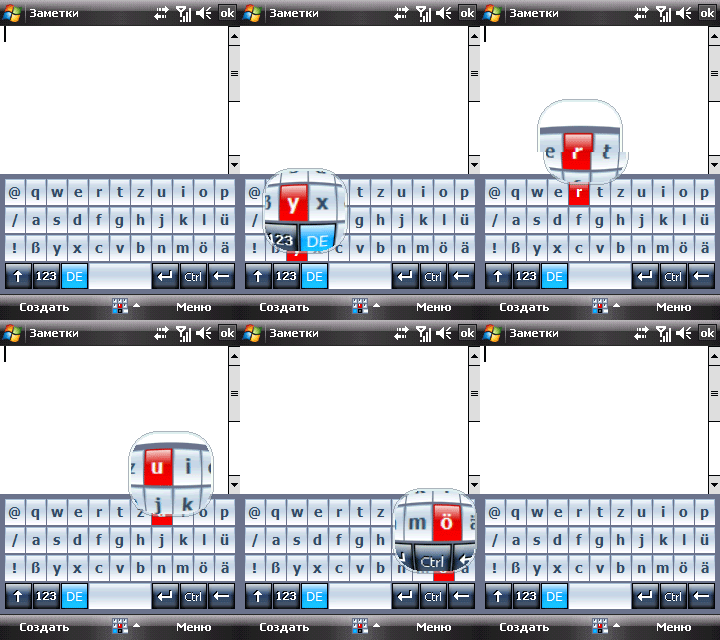
"VITO Technology releases new ZoomBoard version 2.0, an onscreen keyboard with zoomed preview for comfortable and accurate FINGER typing. New ZoomBoard allows for quick and accurate typing and can satisfy the demands of any choosy user with 3 different types of zooming: full zoom, lens zoom, float zoom. Lens zoom appears above the keyboard, Float zoom appears straight above the letter you press and the full one zooms in the whole keyboard with letters. Another new useful feature is SmartZoom. When enabling this option it is possible to zoom the pressed letters either immediately or with a delay. Another important upgrade to ZoomBoard is the significant increase of layouts. Alongside with the layouts that were available in the previous version (English, Russian, German and some others) there have appeared 32 layouts for other languages. In addition, the landscape mode has become more user-friendly it does not close all screen."


ZoomBoard 2.0 brings a few nice customizations to this iphone-esque keyboard. If you're pretty confident about your typing, the SmartZoom feature with the zoom delay might be kind of handy. Edit: Current 1.0 users qualify for a free upgrade so try it and let us know what you think. Thanks to VITO for the updated info.


Tuesday, March 18, 2008

HTC Patent Shows Off New Slider Concept

Posted by Darius Wey in "NEWS" @ 09:00 AM

http://appft1.uspto.gov/netacgi/nph...=DN/20080064448


The concept of an integrated number keypad and QWERTY keyboard is neat, although I'm not sure if the design is a winner. The device seems a little long, but probably can't be much longer than existing Pocket PCs (or should I say, Windows Mobile Professional devices) with slide-out QWERTY keyboards. And the diagonal-sliding display? Let's hope it manages to stay securely in place even after months of use. Your thoughts on this one?


PPCTechs.com

4Smartphone Place Your Ad Here
Reviews & Articles

Loading feed...

News

Loading feed...

Reviews & Articles

Loading feed...

News

Loading feed...

Reviews & Articles

Loading feed...

News

Loading feed...

Sponsored links