


Monday, January 11, 2010
Your Own Mobile Fax Machine with Wizcode PhotoCopy Mobile 1.4
Posted by Don Tolson in "Windows Phone Software" @ 07:30 AM
Sharing with the World
After the PDF is created, Wizcode PhotoCopy gives you the option to view the PDF or to share it with others via email.
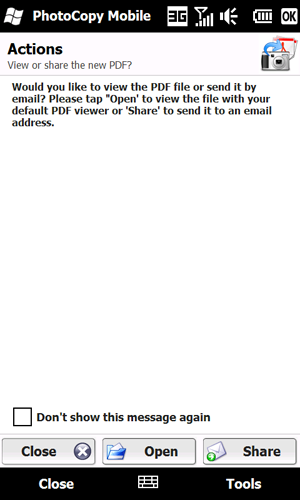
Figure 7: Deciding what to do with your document. There is an option to inhibit this message from being displayed, in which case Wizcode PhotoCopy assumes you want to just store the PDF and deal with it on your own later on.
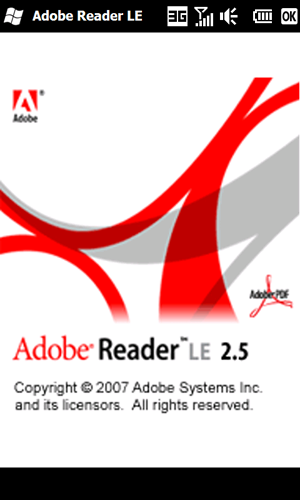
Figure 8: WizCode PhotoCopy also includes a copy of Adobe Reader LE for mobile units, so you can view the final product before you send it out.
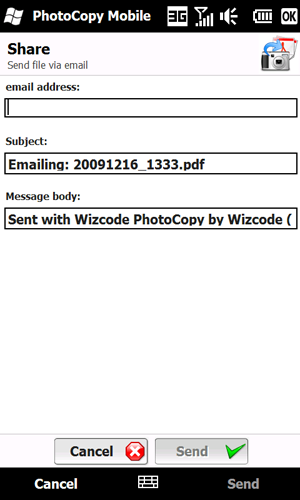
Figure 9: If you decide to Share your document, you can send the file via email to anyone you wish. (Note, this does require that you have an email account established on the unit). If you have multiple email accounts on your phone, it will utilize the Outlook outbound account server first, or the first email account created. Both the Subject line and Message body are modifiable, but are limited. I couldn't see any way to access the email addresses in my Contacts list from here, so you'll have to add the recipients directly.
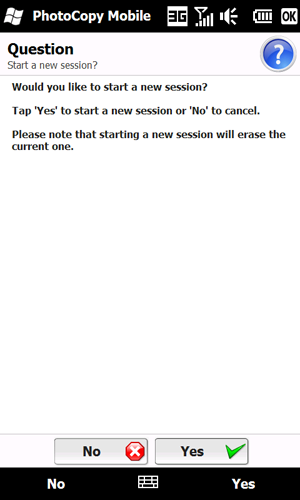
Figure 10: Once you've completed viewing and/or emailing your document, Wizcode PhotoCopy will ask if you'd like to create a new PDF (a new session) or continue working with the existing images to create a revised PDF file.
Conclusion
As I mentioned before, I love this application for its simplicity. It does just one thing; has a very simple and easy to user interface; and does the job well. The biggest advantage for me is that it allows me to untether even further from my laptop/PC and be able to send participants documentation of their meeting, right after the meeting while the concepts are fresh. Now, if I could just find some way to have diagrams automatically loaded into MS Visio (TM) :-).
Don is an Associate Director of Project Management and Systems Development with Fujitsu Consulting. He's been working with PDAs and Smartphones since the early days of the Sharp Wizard, iPAQ and Jornadas. As the Enterprise Mobility lead for North America, he works with clients who want to take their applications that one step further into 'mobility' by putting them right on the corporate phones.
Do you enjoy using new hardware, software and accessories, then sharing your experience with others? Then join us on the Thoughts Media Review Team! We're looking for individuals who find it fun to test new gear and give their honest opinions about the experience. It's a volunteer role with some great perks. Interested? Then click here for more information.






